Your First HUD
lh is the global API for LuaHUD.
Create a profile
Section titled “Create a profile”After installing LuaHUD, enter a world and open the mod screen with H. Create a profile, then use Open Folder to find its .lua file in the profile directory. Open it in a text editor and make sure the profile is enabled.
Save each example in that file. LuaHUD reloads profiles when you save, so you can see the result in-game without restarting Minecraft.
LuaHUD can draw text, items, textures, and entities on your HUD. Start with text below, then explore Items, Texture, and Entities.
Let’s draw "Hello, World!":
lh.draw("Hello, World!")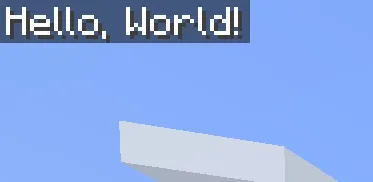
Let’s add another row:
lh.drawln("Hello, World!") -- Use lh.drawln instead of lh.draw to add a new linelh.draw("Hello, " .. lh.player.name)Or you can do
lh.draw("Hello, World!")lh.newline() -- One line break; pass a count for multiple line breaks.lh.draw("Hello, " .. lh.player.name)Make it update
Section titled “Make it update”Code at the top level runs once when the profile loads. This is fine for a greeting, but if you read FPS there, the displayed number will stay at its initial value.
Replace the file with:
lh.on("tick", function() lh.drawln("Hello, World") lh.drawln("FPS: " .. lh.perf.fps) lh.drawln(string.format("XYZ: %.1f / %.1f / %.1f", lh.player.x, lh.player.y, lh.player.z))end)lh.on() registers a callback. "tick" runs at the end of each client tick, so now the script reads fresh values regularly.
The drawing from this callback is replaced each time it runs. You don’t have to erase the previous text yourself, and the rows won’t keep piling up.
Show something only when it matters
Section titled “Show something only when it matters”Here’s a health warning. Replace the previous example with this, or add the condition inside its callback:
lh.on("tick", function()    local health = lh.player.health
    if health <= 6 then        lh.drawln("Health is getting low: " .. health, {            textColor = "#FF5555",        })    endend)
Health uses Minecraft health points: the usual full health is 20, or 10 hearts. The second argument is an optional table of drawing options.
When health rises above 6, the callback runs without drawing anything. Its previous output is still cleared, so warning disappears.